


If you need a website and a small webshop, I would recommend the following process, which we have good experience with:
1: You buy a domain + hosting at One.com (we use One.com and are really happy with them … you can of course also choose hundreds of other providers, but now they are the ones we know and use, so therefore my recommendation for One.com)
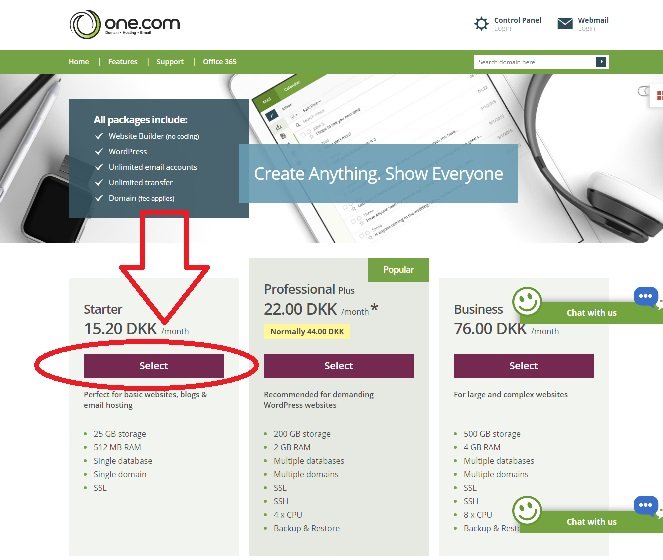
2: If it’s just a small or medium-sized webshop you would like to setup, you can usually use the smallest package at One.com – i.e. the Starter package, which only costs 15.20 kr per month (the price as of April 30, 2017).
3: Once you have purchased the One.com package, just wait 24-48 hours before your webpage is set up.
4: Once setup is completed, log in to your control panel at One.com (you will receive an email with a guide, which describes what you need to do). Then you have to install WordPress on your website (it’s super easy … it just requires you to log in and then with 1-click, you can install it). Here’s the guide:
https://www.one.com/en/support/guide/using-1-click-wordpress
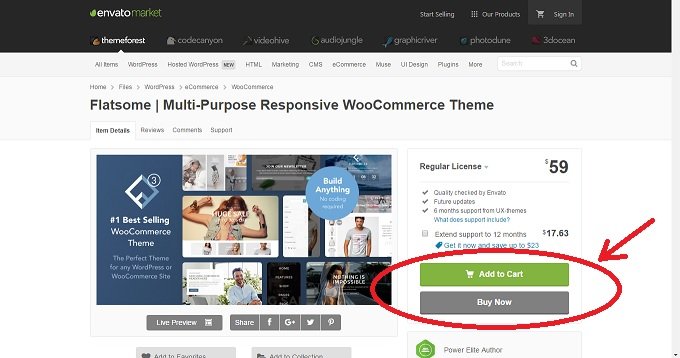
5: Next, you should have Woocommerce and a WordPress Webshop Theme installed and set up (I usually recommend the Theme called Flatsomes). It only costs a one-time expense of 59 USD (this is the price at the time of writing this article, April 30, 2017), and you have a really professional looking webshop:
https://themeforest.net/item/flatsome-multipurpose-responsive-woocommerce-theme/5484319
6: As an alternative to points 4-5 (which usually also requires several working hours by a web developer, since there is a lot of technical setup to be done), you can also easily set up your webshop in One.com. However, I do not have experience with this solution, but it seems fairly easy, and I do not think it requires the help of a web developer). Here is the process: https://www.one.com/en/support/guide/getting-started-with-your-webshop
7: Finally, you need to set up Google Analytics so that you can track how your visitors interact on your webshop, where they are from, etc. It’s quite important that you know something like that, in order to optimize your webshops performance … Google Analytics is free, but it also requires some technical knowledge to set up.
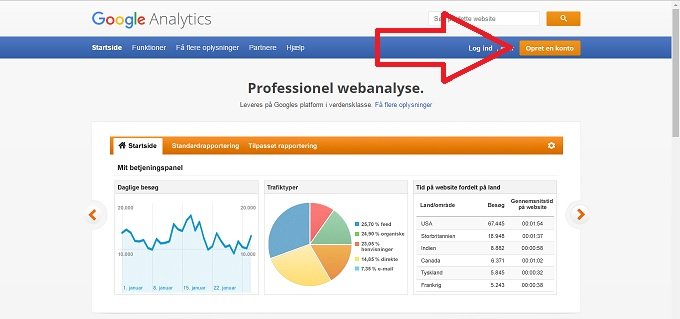
Here’s Google Analytics (you need to press the orange button in the upper right corner to get started):
https://www.google.com/analytics/
Thats it. Good luck with your new webshop :-)